Worklog descriptions may contain valuable information about what’s been done on a work item. However, that information isn’t very accessible. You can make those important updates and progress notes more visible by copying worklog comments to a more accessible part of the Jira work item.
Why Copy Jira Worklog Descriptions
Worklog descriptions are composed of two key pieces of information – what was done and how long it took to do it. There are several advantages to making that information visible. Not only does it allow you to see where time is going (and therefore make better estimates in the future), it also reveals the exact steps that had to be taken to complete the work. Once this is known it can be used to standardize processes and save time. Visible worklog descriptions also facilitate smoother handovers and reduce the risk of missed information if tickets are revisited weeks or months later.
How to Copy Jira Worklog Descriptions
You can use Jira automation to copy worklog descriptions to more visible fields on work items such as the comments field or the description field. But to ensure that there is something to copy, start by setting the worklog description as mandatory.
Making Worklog Descriptions Mandatory
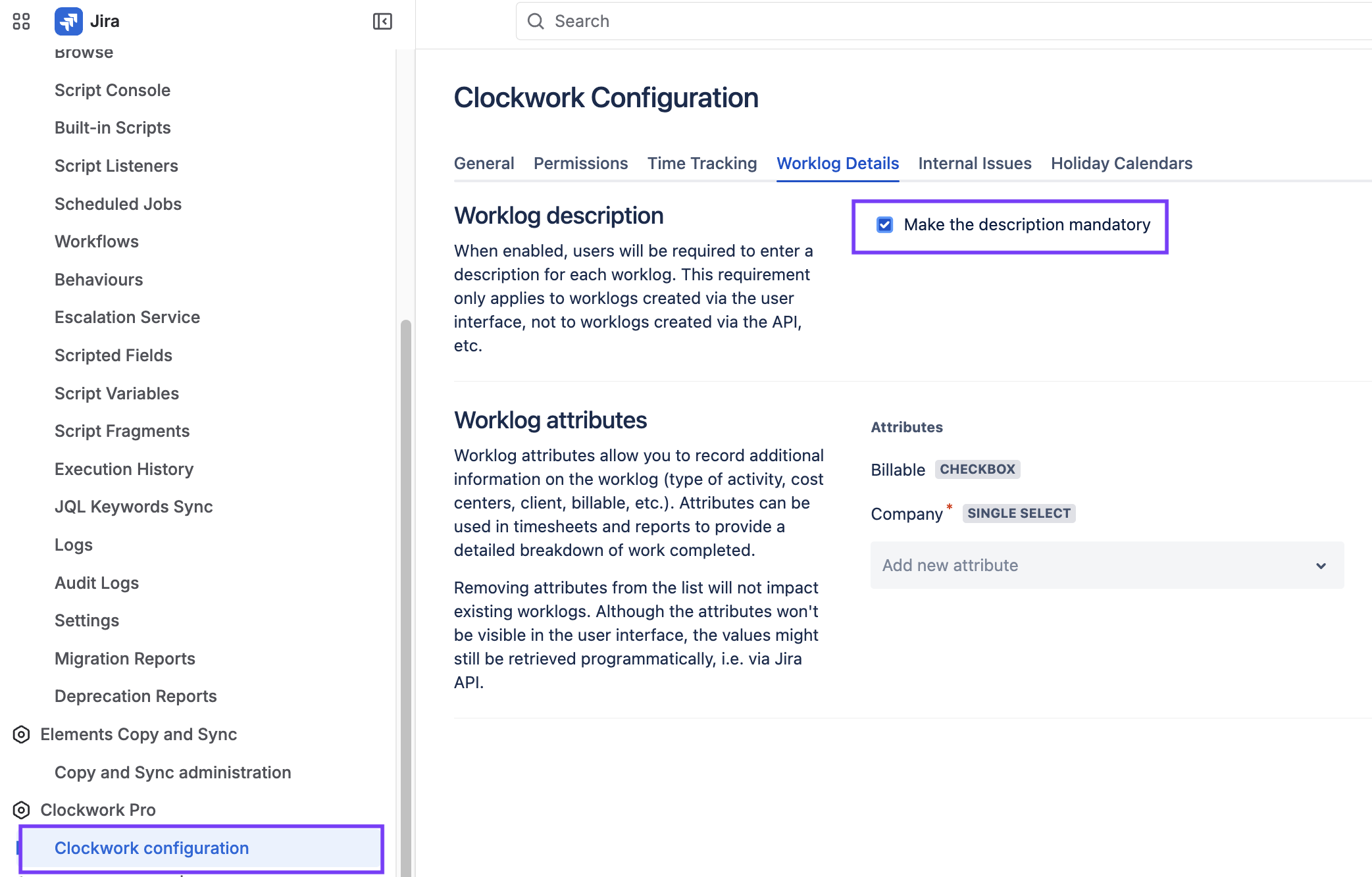
Clockwork allows you to require that users include a description when creating worklogs:
- Navigate to Jira settings > Marketplace apps.
- Go to Clockwork configuration and select the Worklog Details tab.
- Tick the Make the description mandatory checkbox.
Copying the Worklog Description to a Comment
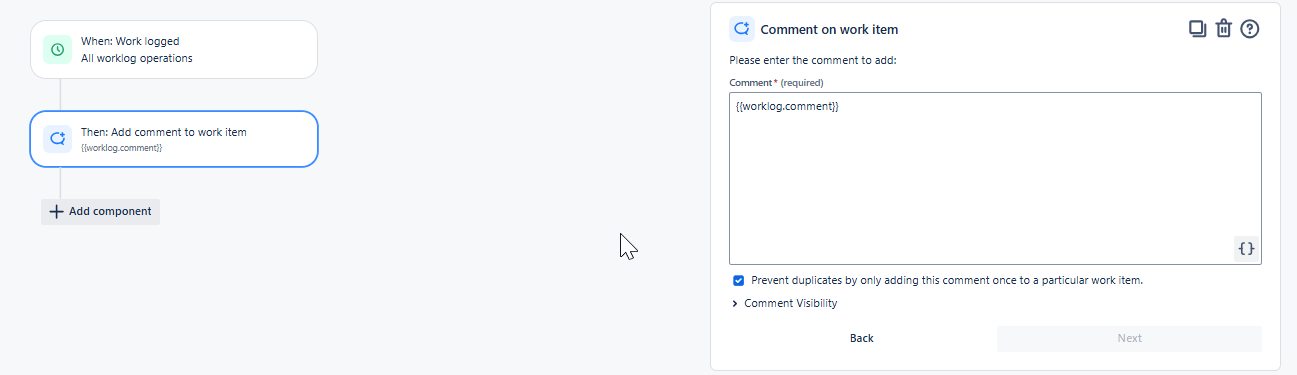
You can create a Jira automation rule that will add a comment showing the worklog description whenever work is logged on an item.
- Navigate to Space settings > Automation.
- Click Create rule and select Create rule from scratch.
- Select Work logged as the trigger.
- Select the Created and Updated operations.
- Click Next.
- Click Then: Add an action.
- Select Add comment to work item as the action.
- Type {{worklog.comment}} into the comment field.
- Name the rule and turn it on.
Now whenever work is logged, a new comment with a description of the work will be created.
Copying the Worklog Description to the Jira Item Description Field
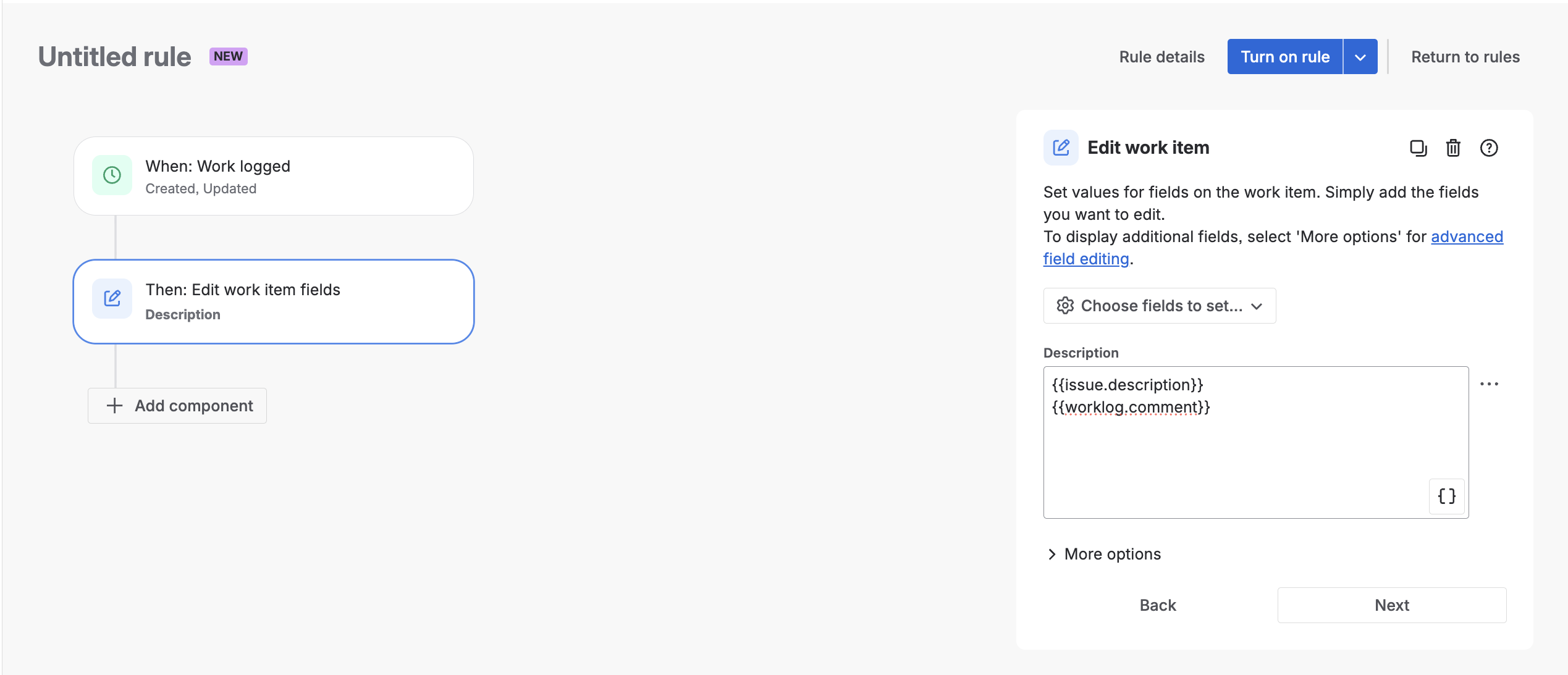
Another option is to copy the worklog comments into the Jira work item description field as a sequential list. In this case, the trigger and {{worklog.comment}} smart value will be the same as in the rule above, but we will add the {{issue.description}} smart value to preserve the text that was already in the work item description field before the rule ran.
- Navigate to Space settings > Automation.
- Click Create rule and select Create rule from scratch.
- Select Work logged as the trigger.
- Select the Created and Updated operations.
- Click Next.
- Click Then: Add an action.
- Select Edit work item as the action, and Description as the field to be edited.
- Type {{issue.description}} followed by {{worklog.comment}} into the description.
- Name the rule and turn it on.
Subsequent worklogs will be listed in the description field of the Jira item.