The Challenge of Resource Capacity Planning in Jira
Program managers struggle to track initiatives, epics, and dependencies across multiple projects. Seeing the big picture, reporting to high-level stakeholders, and ensuring work assignments are balanced is hit or miss.
And those are just the challenges of managing current work. It’s even harder to account for future tasks. That lack of visibility into upcoming work comes at a high price, with managers forced to:
- React to unmet demand for talent when the work is already underway;
- Identify capacity issues when it’s too late to prevent a negative impact on delivery;
- Address unmet demand by assigning tasks to team members who may or may not have the needed skills;
- Make uninformed decisions about what their teams can realistically deliver in the near future.
Clearly managers need a tool for resource capacity planning in Jira.
Native Jira Resource Capacity Planning
At the Premium and Enterprise tiers, Jira includes a “Plans” feature designed to support tracking, scenario planning, and capacity planning at a high level. Plans can pull data from multiple points in Jira (boards, spaces, and filters) and has a customizable interface. However, there are limitations. Capacity planning can only be done at the team level, and there is no multi-space planning capacity in the Standard version of Jira.
Jira Resource Capacity Planning Marketplace Apps
Given those limitations, many organizations look for a solution in the Atlassian Marketplace. Among project portfolio management apps, Portfolio by HeroCoders emerges as the economical option that provides a 360º view into your work in Jira, includes built-in capacity planning and – now – allows you to create resource requests to accommodate future work.
See how Portfolio stacks up against the competition.
Resource Requests in Portfolio: Your Solution to Resource Planning in Jira
Imagine being able to forecast future demand for talent. What would it mean for managers to be able to plan future work safe in the knowledge that staff with the required skills would be available to carry out the work? That’s precisely what resource requests in Portfolio by HeroCoders allow you to do.
How Resource Requests Work
There are three steps to creating a resource request in Portfolio. First, ensure that you have configured the Roles and Skills of your team members. Then create a booking for the anticipated future work. Finally, when you’re ready, confirm the request and assign the work item(s) to the appropriate user.
Define Roles and Skills for Jira Resource Planning
Each team is different. The abilities you require will vary depending on the work you do. Portfolio allows you to define the roles used in your organization, as well as individual skills.
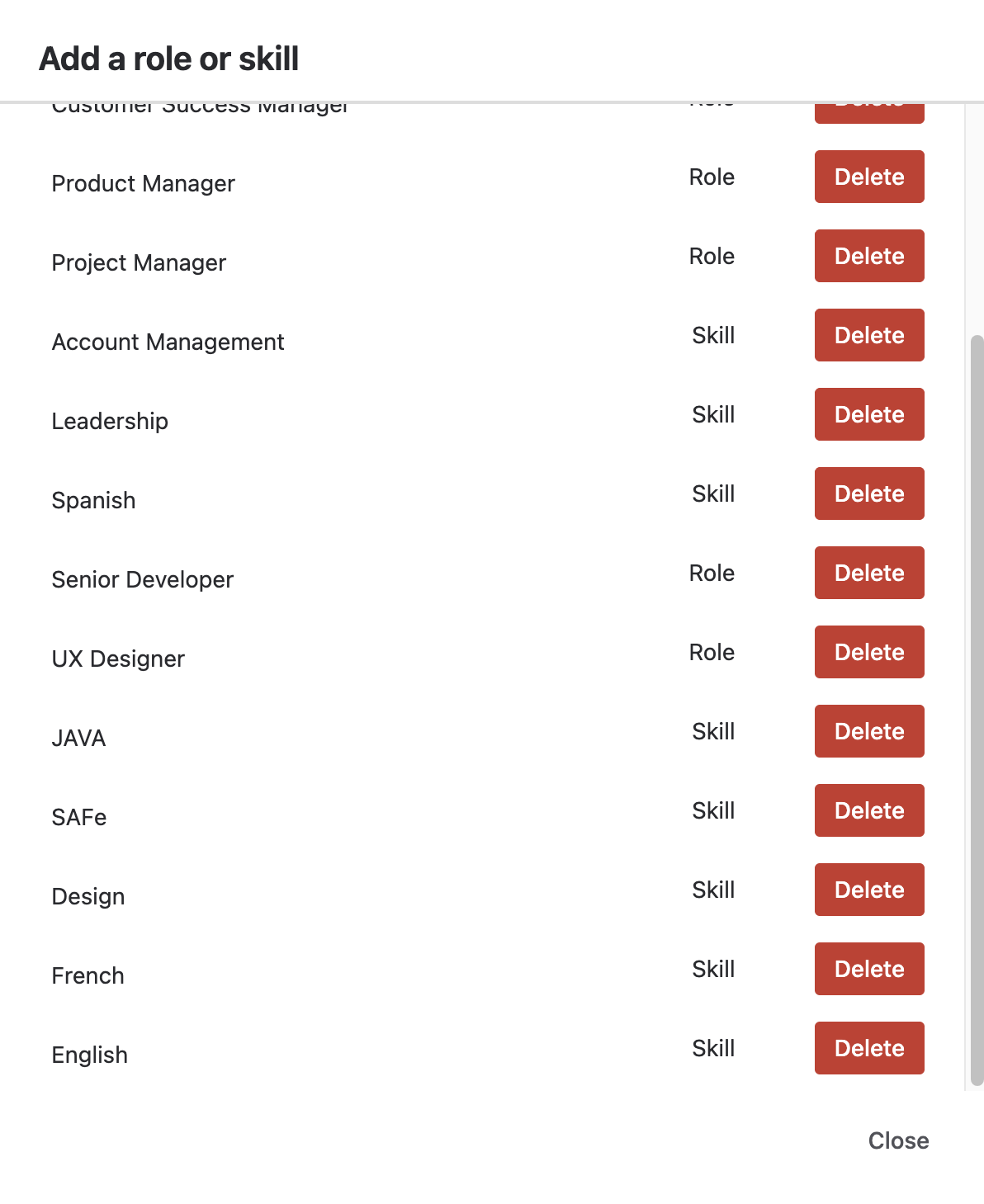
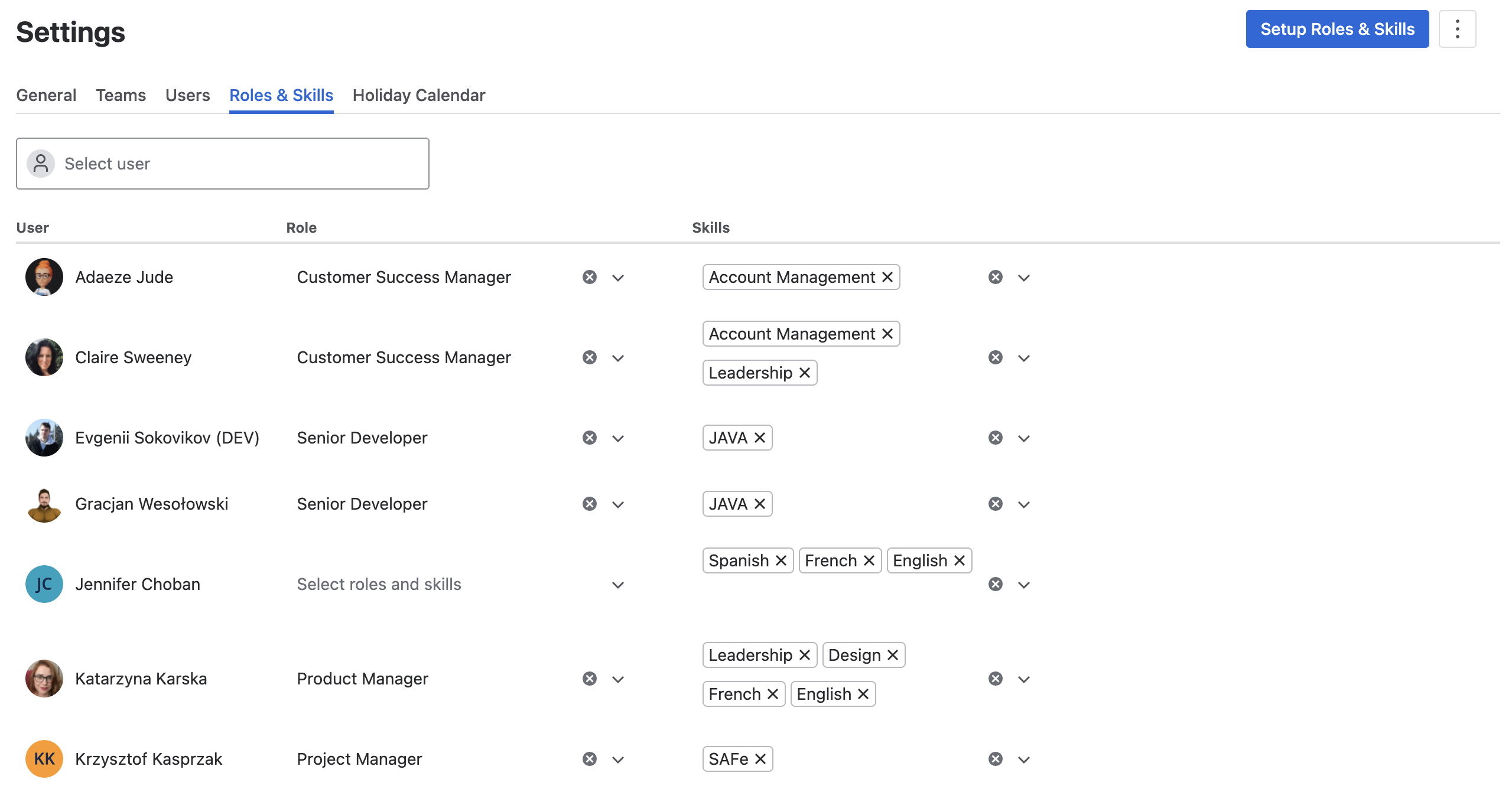
Once you’ve created the roles and skills used in your teams' work, you can associate them with particular users. This allows Portfolio to search out team members with the needed abilities for each resource request.
Program Future Work in your Jira Capacity Planner
To ensure that the needed talent is available when the work is ready to be done, create a resource request. Forecasting future demand gives you the opportunity to identify gaps in skill or availability, and strategically allocate your team’s work. This becomes a powerful tool for maximizing productivity and for guaranteeing that you’re making optimal use of available resources.
Portfolio resource requests link directly to Jira work items, as well as to your configured Roles and Skills. This makes it easy to plan and schedule upcoming work without ever leaving the capacity planner interface.
.png)
Confirm the Resource Request
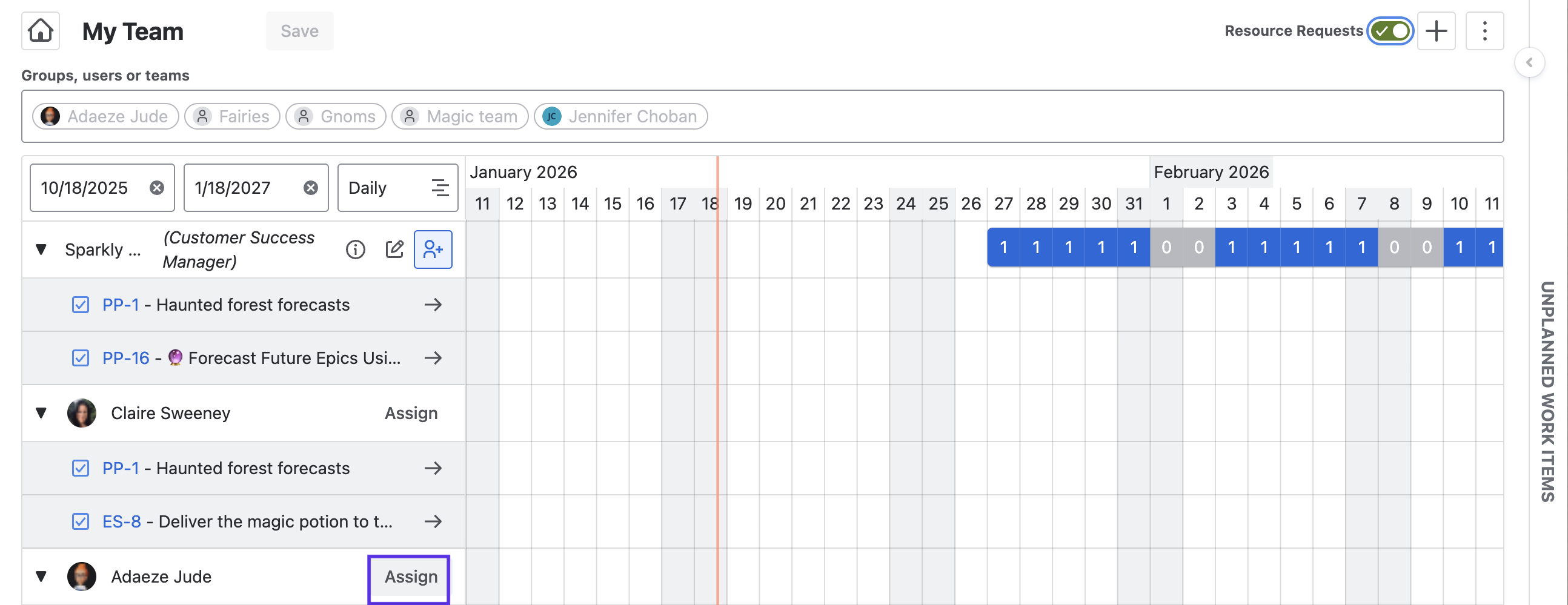
Portfolio works as a planning tool, as well as a way to visualize current work in Jira. So the resource request won’t be executed until you confirm it. When you confirm the request Portfolio will display users who have both the needed skills and/or role, and the availability to take on the work during the designated time frame.
Simply click the Assign button, and presto! – a booking is made.
Resource Requests in Portfolio by HeroCoders elevates resource management from reactive crisis-management to a predictive planning practice. By capturing demand early, linking to the required roles and skills, and embedding it in your capacity planning workflows, teams can staff work smarter, protect against resource shortages, and drive strategic outcomes.