

Checklist items often represent the smallest—but most critical—pieces of work in Jira. Whether you want a quick view of what’s assigned to you, or a detailed report you can export or share in Confluence, Checklists for Jira offers several flexible ways to surface that information. This article walks through the most common methods for viewing, filtering, and reporting on checklist items, from simple personal views to fully automated Confluence reports.
1. View My Assigned Items
The most common use case for needing a Checklist Report is to see the items that are assigned to you, so we made it easy. Simply select the Assigned items icon from the left nav bar.
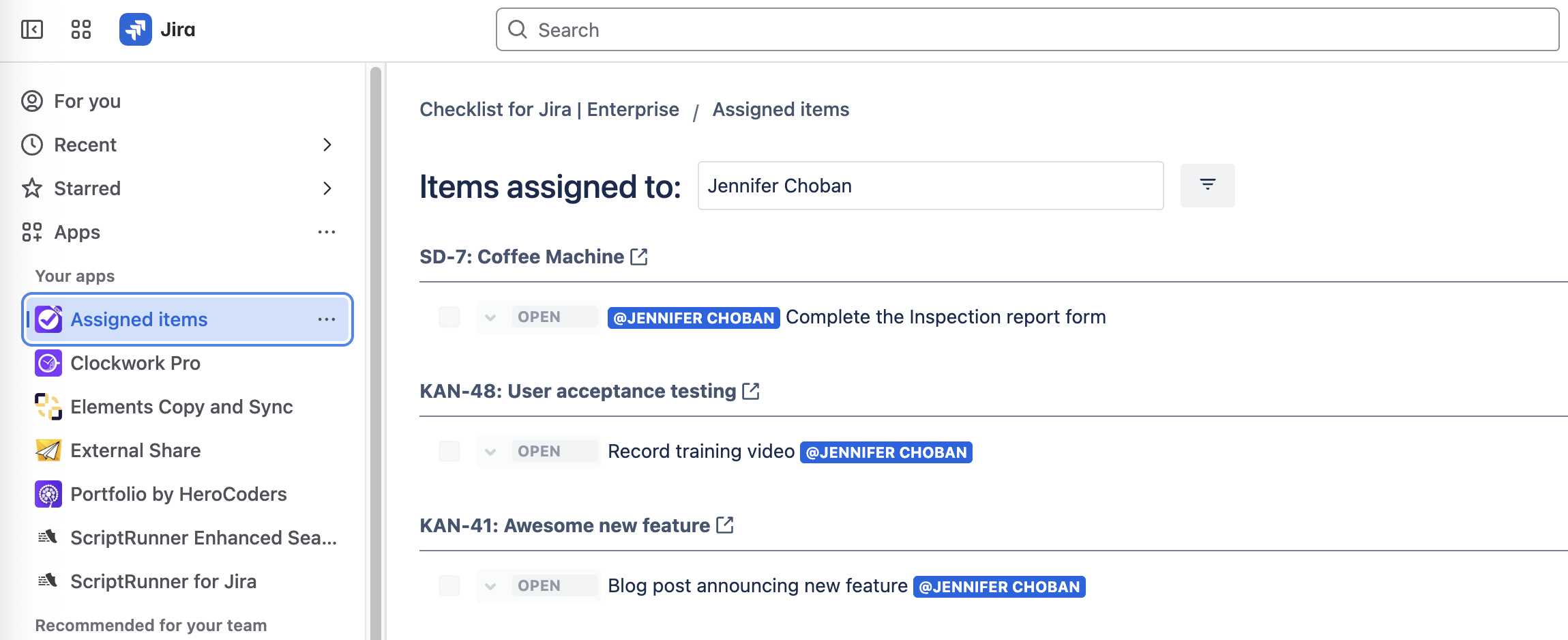
Checklists for Jira Pro and Enterprise allow you to filter out items that have already been completed, and if you’re a Jira admin you can also use the Items assigned to dropdown to search for items assigned to other users.
2. Use the Dashboard Gadget
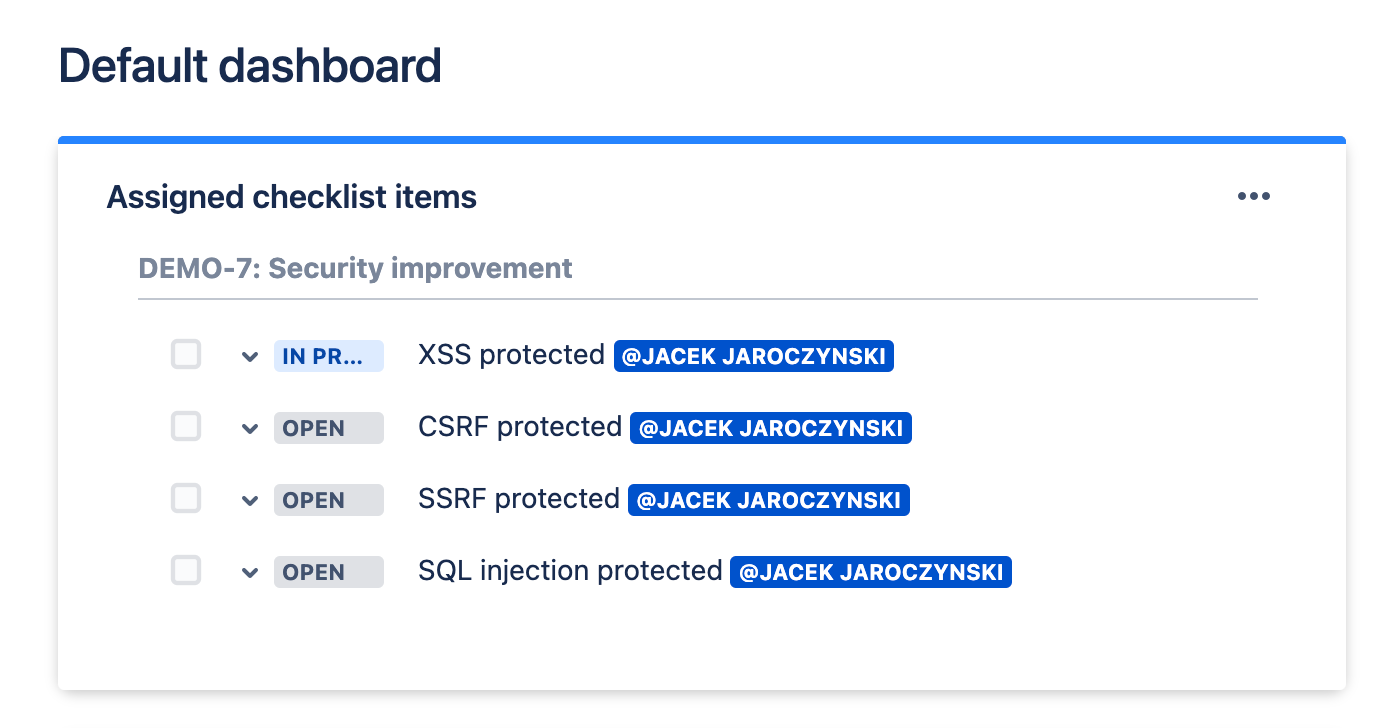
If you prefer to see your assigned checklist items on your Jira dashboard, try the Assigned checklist items gadget to see a list of all incomplete checklist items assigned to you.
3. Download from a JQL Query
If you want to see more than just the items that are assigned to you, you can easily build a JQL query to show the data you need. Checklists for Jira includes custom fields and built-in JQL expressions you can use
Checklists for Jira Custom Fields
- Checklist Completed Use this field in queries to search for Jira work items with incomplete checklists.
- Checklist Progress Use this field, or the Checklist Progress % field, to see how much of the checklist remains to be done.
- Checklist Text View-only This field lets you search for specific checklist content or include a read-only copy of the checklist in your search results.
Checklists for Jira JQL Expressions
- activeChecklistItems This expression can be used with numeric operators to find Jira work items with a relative number of incomplete checklist items. This expression
activeChecklistItems > 4will return all Jira work items with more than 4 incomplete checklist items. - checklistItemsCount Use this expression to search for work items with a relative number of checklist items.
checklistItemsCount = 3returns all Jira work items with more than 3 checklist items (regardless of whether or not the checklist items are complete) - hasActiveChecklistItems This expression
hasActiveChecklistItems = "false"returns work items where the checklist is complete or has been deleted.
Checklist JQL Examples
You can combine the Checklist custom fields and JQL expressions to return the appropriate work items:
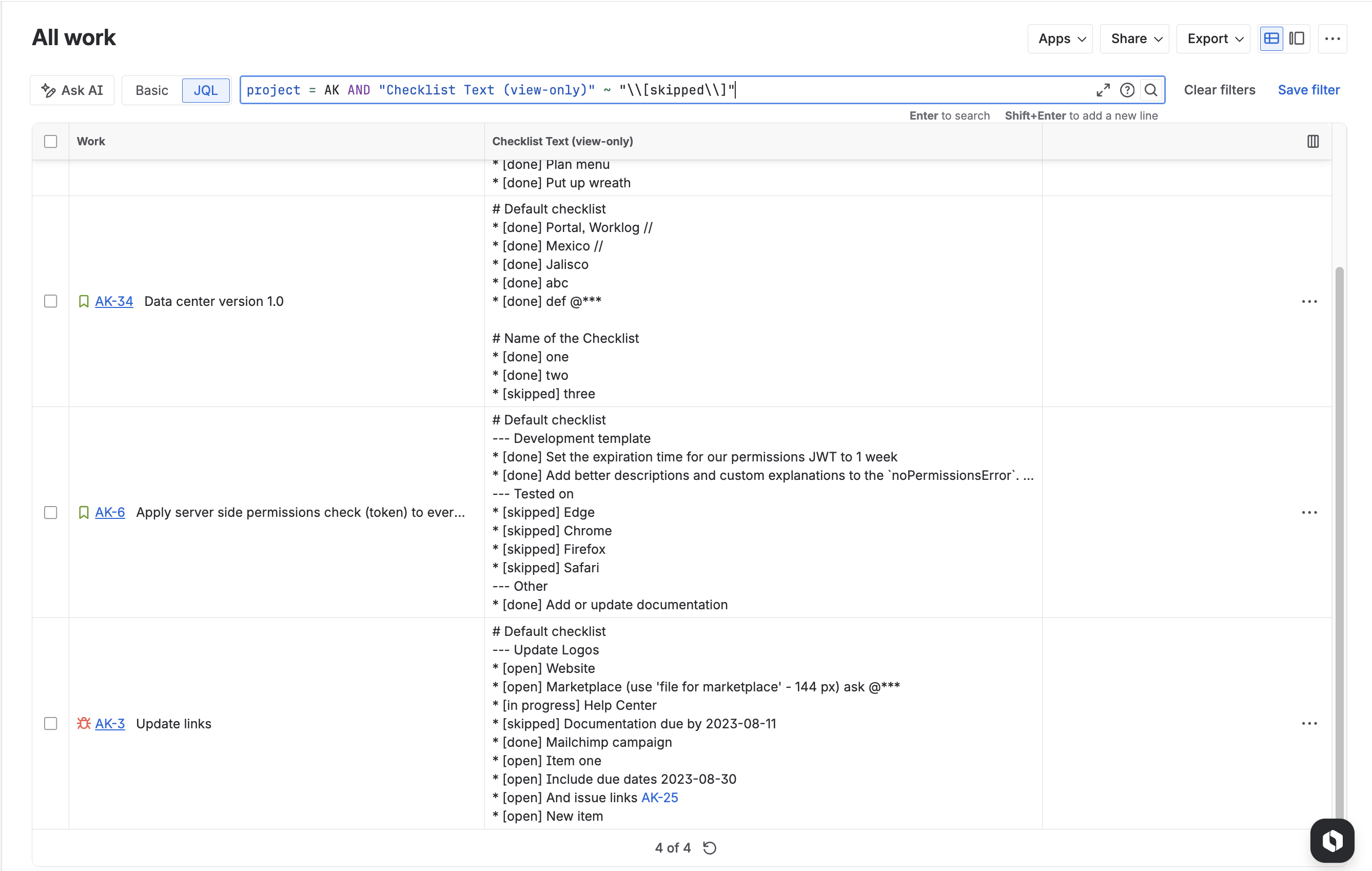
project = AK AND activeChecklistItems > 0returns work items in the AK space with incomplete checklist itemsproject = AK AND "Checklist Text (view-only)" ~ "\\[skipped\\]"returns work items in the AK space where some checklist items were set to the skipped status.
Checklist in Search Results
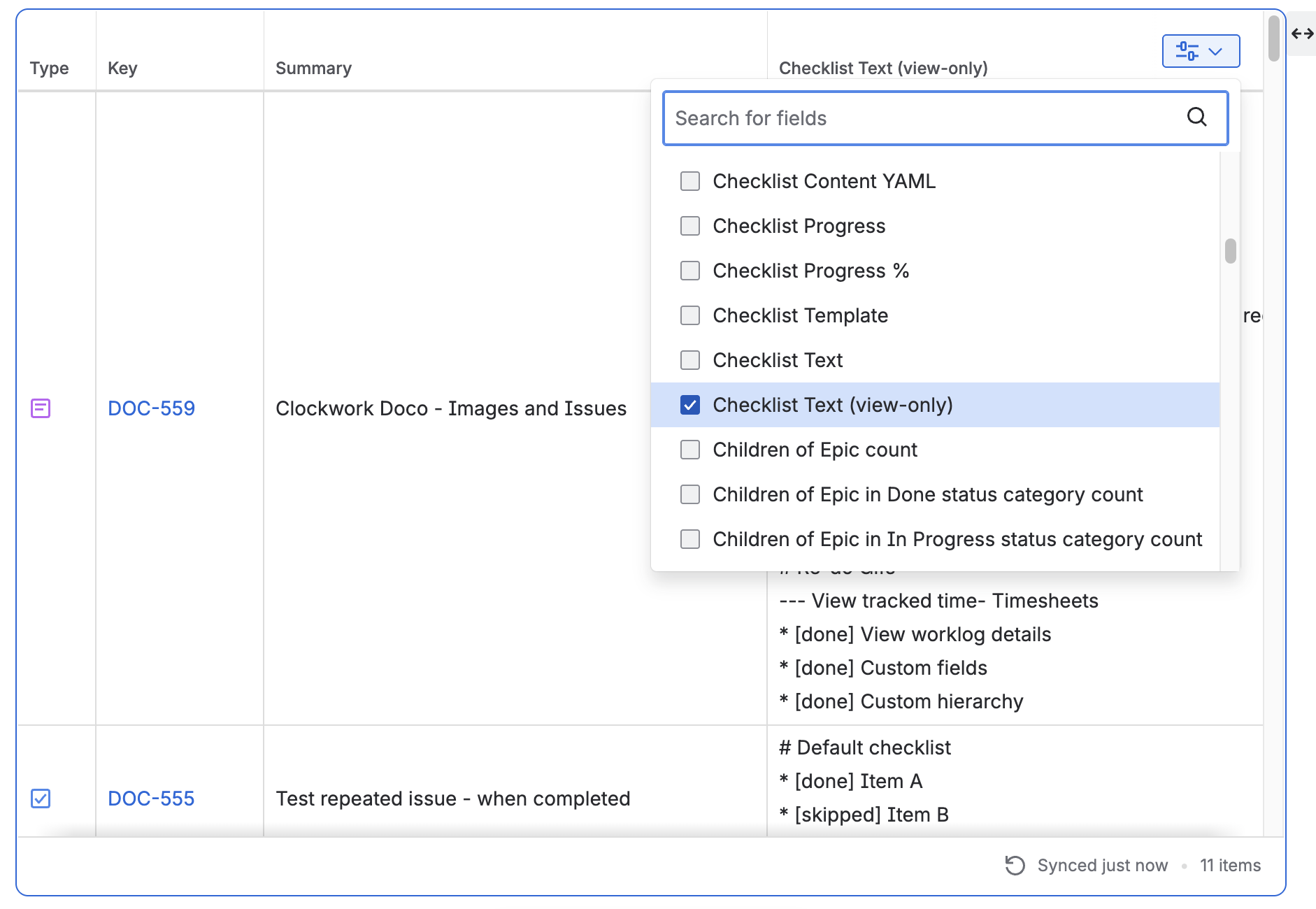
Once you’ve found the desired work items, you can format the query columns to include the Checklist Text (view only) field.
Download Report
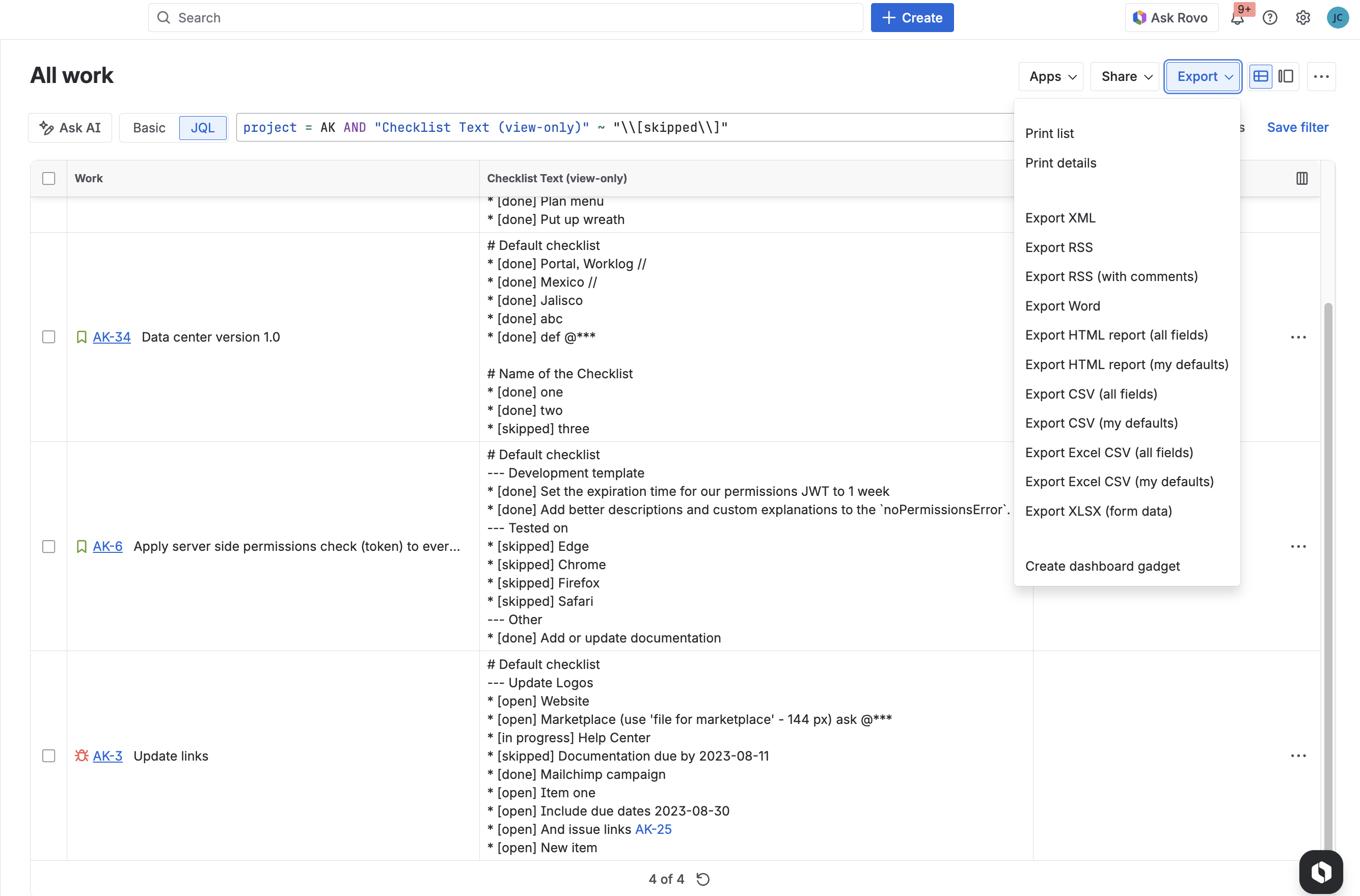
Finally, you can use the Export menu to get a printable list or CSV file of the work items for further analysis, sharing outside of Jira, etc.
4. Create a Checklist Report in Confluence
Once you’ve created the JQL that returns the work items you want, you can create a report in Confluence using the Jira Work Item macro.
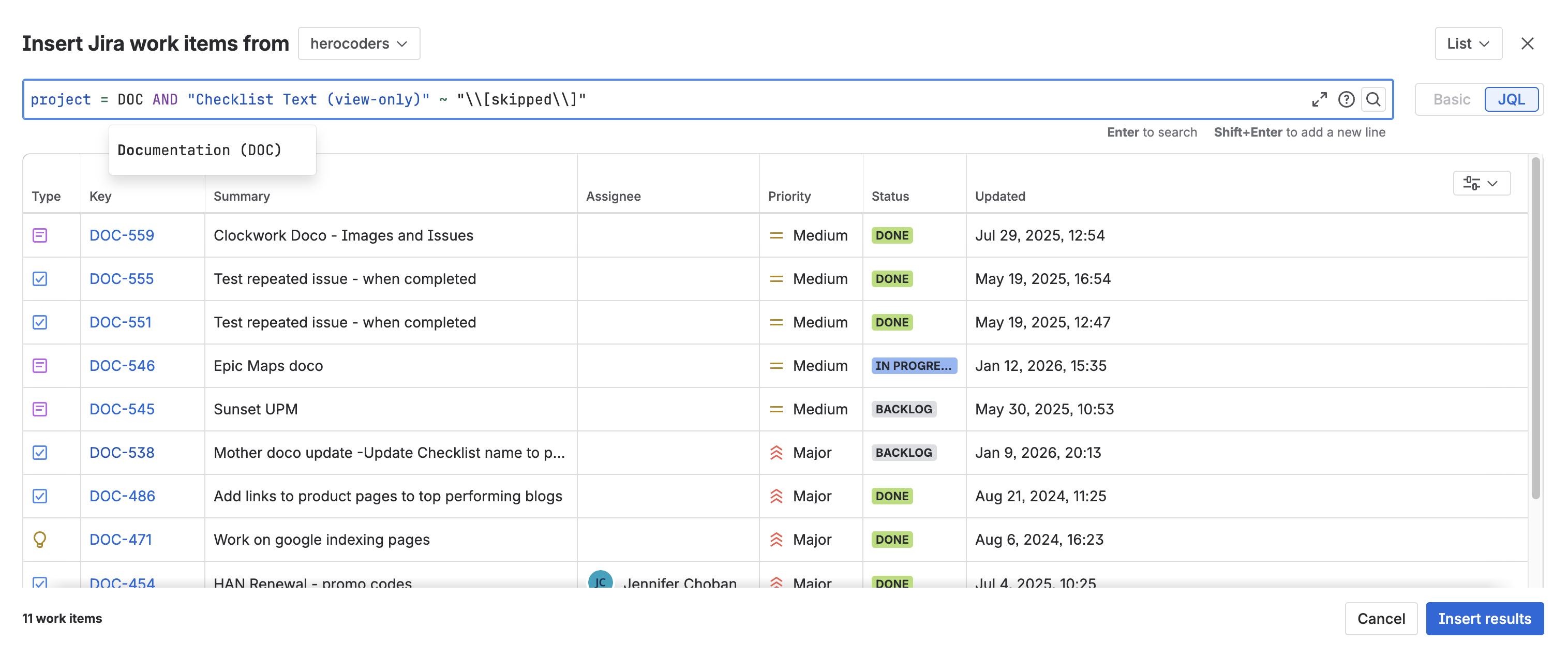
Use the column selector to add the Checklist Text (view only) field.
5. Automated Confluence Report
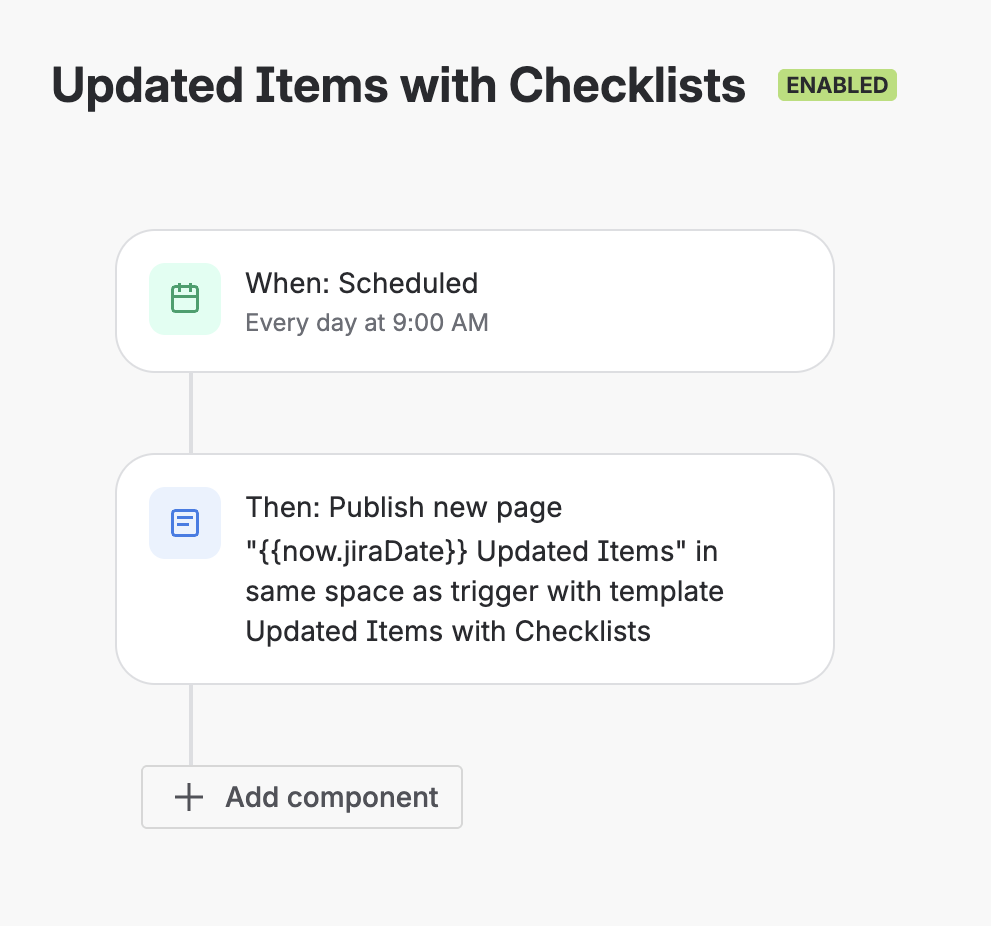
To ensure you keep an eye on pending checklist items, you can take it a step further and use Confluence automation to create a scheduled report.
Start by creating a Confluence Template (Space settings > Look and Feel > Templates) with the embedded JQL:
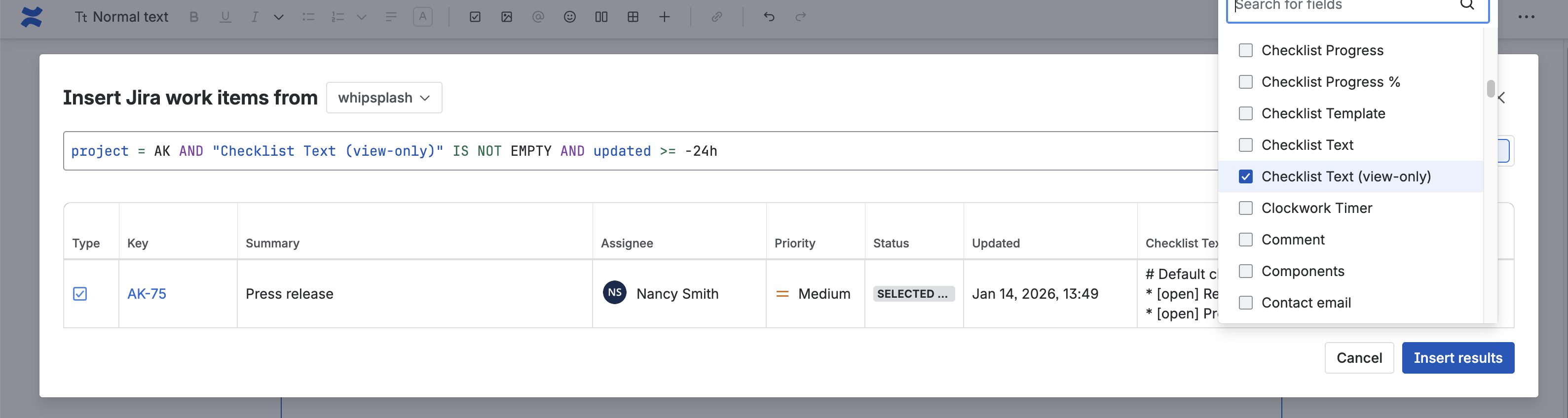
Note that JQL does not monitor every field for updates. If you want to only include work items where the checklist has been updated, you’ll need to create a Jira automation rule as described here.
Then create an automation rule to publish the page:
Checklists are a lightweight but powerful tool for managing the details of your work in Jira. Checklist reports make those details more visible.


